


Quora: the knowledge platform
4.128.83K Reviews
App Specs
- Version
- 3.2.42
- Updated On
- License
- Free
- Downloads
- 50,000,000+
- Developer
- Quora, Inc.
- Categories
- News & Magazines
- Platform
- Android, iOS
Screenshots
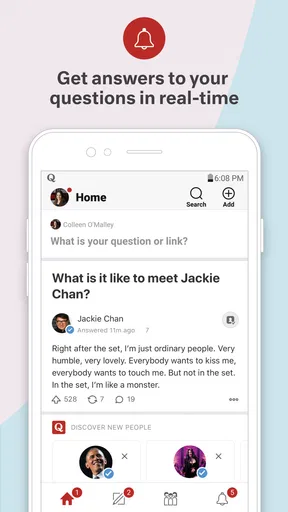
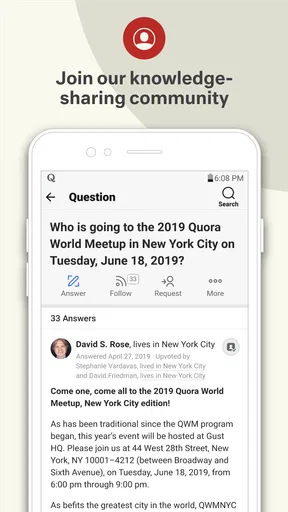
 Analysis by AppCompare
If you’re like me and have an insatiable thirst for knowledge, then you’ve probably heard of Quora. This app is basically like that one friend who always has an answer to everything—only it’s available 24/7 and doesn’t mind being bombarded with questions. I’ve spent quite a bit of time exploring its nooks and crannies, and I’m here to spill the beans on what makes it worth considering on your device.
When curiosity needs a better route than a quick search
I find the app most useful when I have a question that benefits from context rather than a single fact. A search engine is often quicker for checking a date or locating an official instruction; Quora is more interesting when I want to hear how someone approaches a problem, what they learned from an experience, or why people disagree about a topic. That distinction matters: an answer can be thoughtful and useful without being definitive.
For example, imagine I have a few quiet minutes before an appointment and want to understand why a household repair keeps failing. I can browse answers, compare explanations, and save one that seems worth returning to. I would still check safety-critical instructions against a reliable specialist source. The practical value is in collecting perspectives and discovering better questions to ask, not treating every popular reply as a substitute for expertise.
This is a free news and magazines app from Quora, Inc., though its question-and-answer format feels different from a conventional publication. It has a 4.1 average from around a million ratings and more than 50 million installs. Those figures suggest a large audience, but they don’t guarantee that any particular answer is accurate or that the feed will suit every reader.
Finding a readable, manageable path through the feed
Okay, so picture this: a platform where you can ask questions about literally anything and get answers from people around the world. That’s Quora in a nutshell. It’s like the love child of a social network and a massive Q&A forum. Whether you’re curious about black holes or just want to know how to cook the perfect steak, there’s someone out there with the answer.
Getting Started
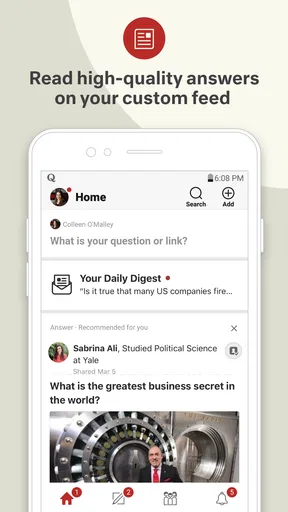
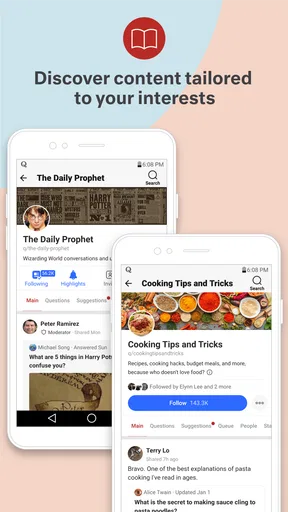
The first thing you’ll notice when you download the app is its clean, user-friendly interface. Signing up is a breeze, and you can even use your Google or Facebook account to make things quicker. Once you’re in, the app prompts you to select topics of interest. This is where the magic begins because your feed will be tailored to your chosen interests.
I personally picked topics like technology, travel, and food, and let me tell you, my feed became a treasure trove of fascinating insights and stories. The more you interact with the app, the better it gets at predicting what you want to see.
Worth Reading Before You Choose

Baby Panda World Brings Quick Play to Modern Phones, but Its Game Library Feels Busy

ESPN’s Live Game View Makes Following Close Games Easier

QuizzLand Review: A Good Fit for Short Trivia Breaks, Not Every Player

Basketball Stars: Multiplayer Is Fast, but Can It Recover When Matches Go Wrong?

WEBTOON Turns Phone Updates Into a Better Reading Routine

Link to Windows Runs on Shared Habits, Not Social Feeds
Topic choices are worth making deliberately. If I follow only broad subjects, the feed can feel scattered; a more focused mix makes it easier to find answers I might actually read. I also treat early recommendations as a starting point rather than a permanent profile. Reading and engaging with a wider range of topics can shift what appears, so it helps to notice when the feed is rewarding curiosity or simply showing me more of what I have already clicked.
For someone who reads in short bursts, that feed-based approach can be convenient: there is no need to arrive with a particular question every time. But it also means the app can lead me from one answer to another without a clear stopping point. When I open it to solve one specific problem, I try to search for that question first and leave browsing for when I have time. That small distinction keeps discovery useful instead of turning into an accidental scroll session.
Readable on the move, with limits to consider
Quora’s text-led format is generally easier to dip into than a long video or a busy stream of short posts. I can scan a question, decide whether its answers look relevant, and stop without needing sound or a large block of uninterrupted time. That makes it a reasonable option on a commute, in a waiting room, or during a short break, provided I have a connection and can comfortably read on my device.
There is a trade-off: answers can be lengthy, and discussions may mix personal stories, technical explanations, and opinion. If reading small text or dense paragraphs is tiring, the experience may depend heavily on the device and settings I use; I would not assume every post is equally easy to follow. I find it helps to open a question with a specific purpose, skim for the answer’s main point, and save useful material rather than forcing myself through every response.
For people who use assistive technology or have motor or sensory needs, the most important question is whether the current app and the individual device work comfortably together. I can’t assume a particular control or presentation will suit everyone. A practical trial is to browse a few answers, try the actions I expect to use—such as following a topic or saving an answer—and see whether those steps feel manageable. The Teen content rating is also a useful reminder that this is a broad community, not a narrowly curated reference shelf.
Diving Into the Content
One of my favorite things about Quora is the diversity of content. You can find answers from experts, enthusiasts, and sometimes even celebrities. The quality of the responses varies, but there’s a handy upvote system that helps highlight the most helpful answers. It’s like Yelp reviews but for knowledge!
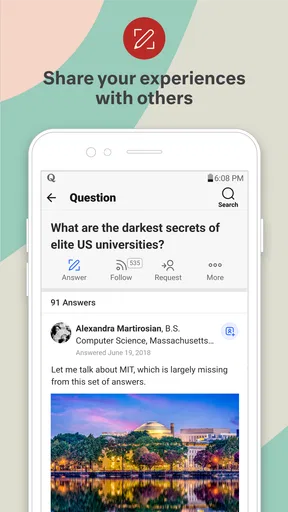
If you’re feeling brave, you can even contribute your own answers or ask questions. It’s a great way to engage with the community and share your expertise. Plus, seeing people engage with your content is always a nice ego boost.
The upvote signal is useful as a first filter, not a fact-check. A widely appreciated answer may be clear or relatable, but popularity alone cannot show whether its claims are current, complete, or right for my circumstances. For health, legal, financial, or safety decisions, I use a strong answer to learn vocabulary and identify follow-up questions, then look for authoritative guidance before acting. That is a more responsible way to benefit from the community without asking it to do a specialist’s job.
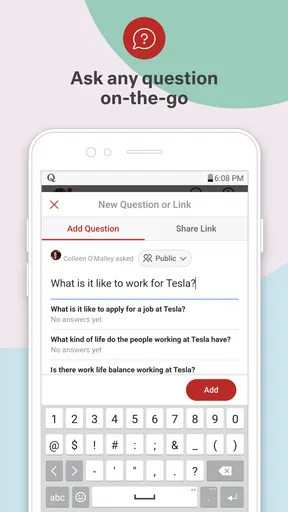
Asking a question works best when I include the relevant context and make the scope clear. A broad prompt can invite broad replies; a precise one makes it easier for people to address the actual problem. I also keep in mind that contributing means putting my own words into a social setting where other people may respond or disagree. If I prefer private reading and do not want to participate, I can still get value from browsing and saving answers, but the social side is not the main reason to choose this app.
Following people and keeping useful answers
One feature I absolutely adore is the ability to follow specific users. If you find someone whose answers resonate with you, just hit that follow button, and you’ll never miss their insights again. It’s a fantastic way to curate your own little corner of Quora.
The app also lets you bookmark answers, which is perfect for when you stumble upon a nugget of wisdom you want to revisit. Trust me, once you start using this feature, you’ll end up with a personal library of knowledge at your fingertips.
I get more from these tools when I use them with intention. Following a writer is handy when I want to keep up with a perspective I find consistently clear, while bookmarking is better for an answer I might need later. They solve different problems: a follow shapes what I may encounter, and a saved answer gives me a direct reminder of something already found. If I save everything that catches my eye, though, the collection becomes hard to use, so I try to keep only answers with a specific future purpose.
This also makes Quora different from a conventional news app. A news publication is usually the better choice when I need a clear editorial desk, a timeline of current events, or reporting that has been presented as journalism. A reference site may be better for stable, carefully organized facts. Quora is strongest when I want varied human explanations and lived perspectives, while its open-ended mix is precisely why I verify important claims elsewhere.
Where it fits—and where it doesn’t
For a curious reader who enjoys explanations, personal experience, and discovering new questions, I think the app can earn a place in a regular reading routine. It is especially useful when I want several angles on a topic or want to learn how another person describes a challenge I have not encountered. It is less suitable if I need every answer to be edited, sourced, and presented with consistent authority, or if I find open-ended social feeds distracting.
It runs on Android with a minimum operating system requirement of 7.0, and the current version is 3.2.36. The app is free, which makes it easy to try without paying upfront. Quora was released on September 5, 2012, and its long-running presence helps explain why its library covers so many subjects; age and scale still should not be confused with a guarantee of quality for any single response.
Why You Should Give It a Go
In a world where information is literally a tap away, Quora stands out by providing a platform where you can engage in meaningful conversations. It’s not just about finding answers; it’s about connecting with people who share your interests and learning from their experiences.
Whether you’re a curious cat or someone looking to share their own expertise, this app is a fantastic way to satisfy that hunger for knowledge. Plus, it’s a nice break from the usual social media chaos, offering a space where you can actually learn something new every single day.
So, if you haven’t already, give Quora a whirl. Download it, dive into the endless sea of questions and answers, and who knows? You might just find it becomes your go-to app for that daily dose of wisdom.
My recommendation comes with a simple condition: use it as a place to explore and compare perspectives, not as an automatic authority. If that matches what I want from a reading app, its combination of questions, answers, follows, and saved posts makes it appealing. If I need tightly edited coverage, predictable accessibility for my particular needs, or a definitive answer for a high-stakes decision, I would choose a more suitable source instead—or use Quora only as a starting point.
Pros
- Wide variety of topics available.
- User-friendly interface and design.
- Access to expert opinions.
- Ability to follow specific topics.
- Community-driven question moderation.
Cons
- Ads can be intrusive at times.
- Limited offline access to content.
- Requires account for full features.
- Occasional duplicate questions.
- Notifications can be overwhelming.
FAQs for Quora: the knowledge platform
What is Quora and how does it work?
Quora is a knowledge-sharing platform where users can ask questions, provide answers, and engage in discussions on a wide range of topics. After signing up, you can follow specific topics of interest and receive a personalized feed of questions and answers. The app promotes community-driven knowledge sharing, allowing users to upvote helpful responses, ensuring the best content rises to the top.
Is Quora free to use, or are there any paid features?
Quora is free to use, allowing users to browse, ask, and answer questions without any cost. However, it offers a premium subscription called "Quora+" that provides additional features, such as ad-free browsing and access to exclusive content. The subscription is optional and designed for users seeking an enhanced experience.
How reliable is the information on Quora?
The reliability of information on Quora can vary as it is user-generated content. While many contributors are knowledgeable in their fields, it is crucial to critically evaluate answers and check the credentials of users. Quora allows users to upvote and comment, helping to highlight high-quality content and foster healthy discussions.
How can I ensure my privacy on Quora?
Quora allows users to adjust privacy settings to control their visibility and interaction on the platform. You can choose to use the app anonymously when asking or answering questions. Additionally, Quora provides options to manage notifications and restrict who can see your activity, ensuring a secure and personalized experience.
Can I use Quora for professional networking?
Yes, Quora can be an effective platform for professional networking. By actively engaging in topic-related discussions and providing insightful answers, you can connect with industry experts and professionals. Many users have found opportunities for collaboration and career advancement through their interactions on Quora.


